

Applied AI — Case Study
For Children Only
Training & compliance portal
We turned Texas childcare training law into working software — a single portal that tracks every staff member's required hours, issues certificates, and warns before a credential lapses, across three schools and ~48 employees.
Download the full case study (PDF)~20 hrs/mo
administrative time saved across all three schools
~48
staff run on one automated system
3
locations unified into a single source of truth
High ratings
achieved at all three childcare schools
The problem
For Children Only Day School runs three childcare locations in Texas, and childcare staff training here is heavily regulated — Minimum Standards Chapter 746 plus Texas Rising Star, each with its own rules about what counts and how much is required.
They were tracking all of it by hand: spreadsheets and paper certificates spread across three separate locations. There was no single source of truth for who had completed what, no automatic tally of required annual hours, and no warning when a CPR card, Food Handler permit, or background check was about to expire.
Onboarding a new hire meant a manual paper process. And when a state audit came, prepping for it meant reconstructing records by hand — one school's worth at a time.
The bottom line: the compliance lived in people's heads and in filing cabinets, and a single missed renewal could put a center's rating at risk.
What we built
Compliance engine
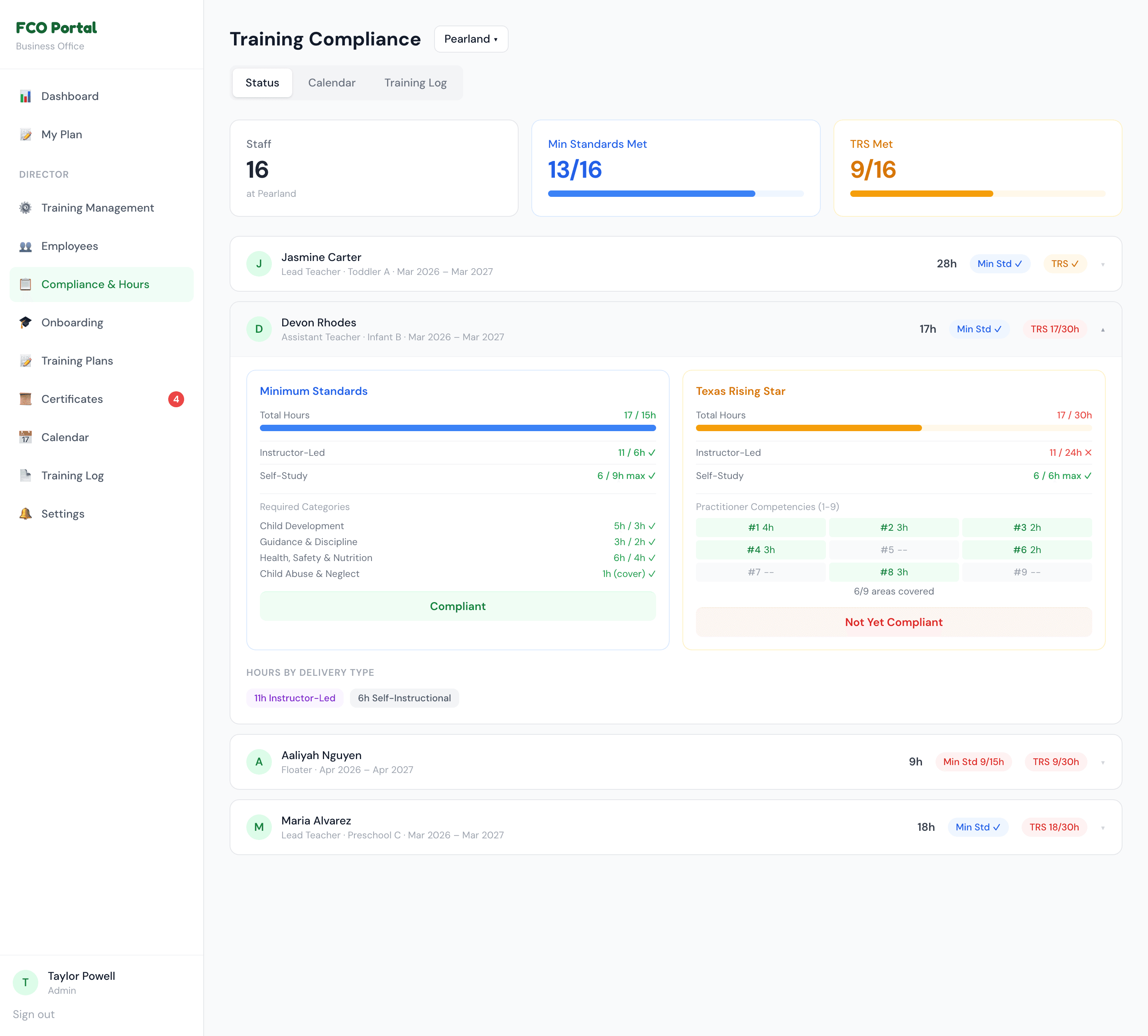
Calculates each employee's required vs. completed hours against both Texas Minimum Standards and Texas Rising Star — on a rolling training year tied to their hire-date anniversary, including the nuance that director-led hours count toward one standard but not the other.
Training & delivery
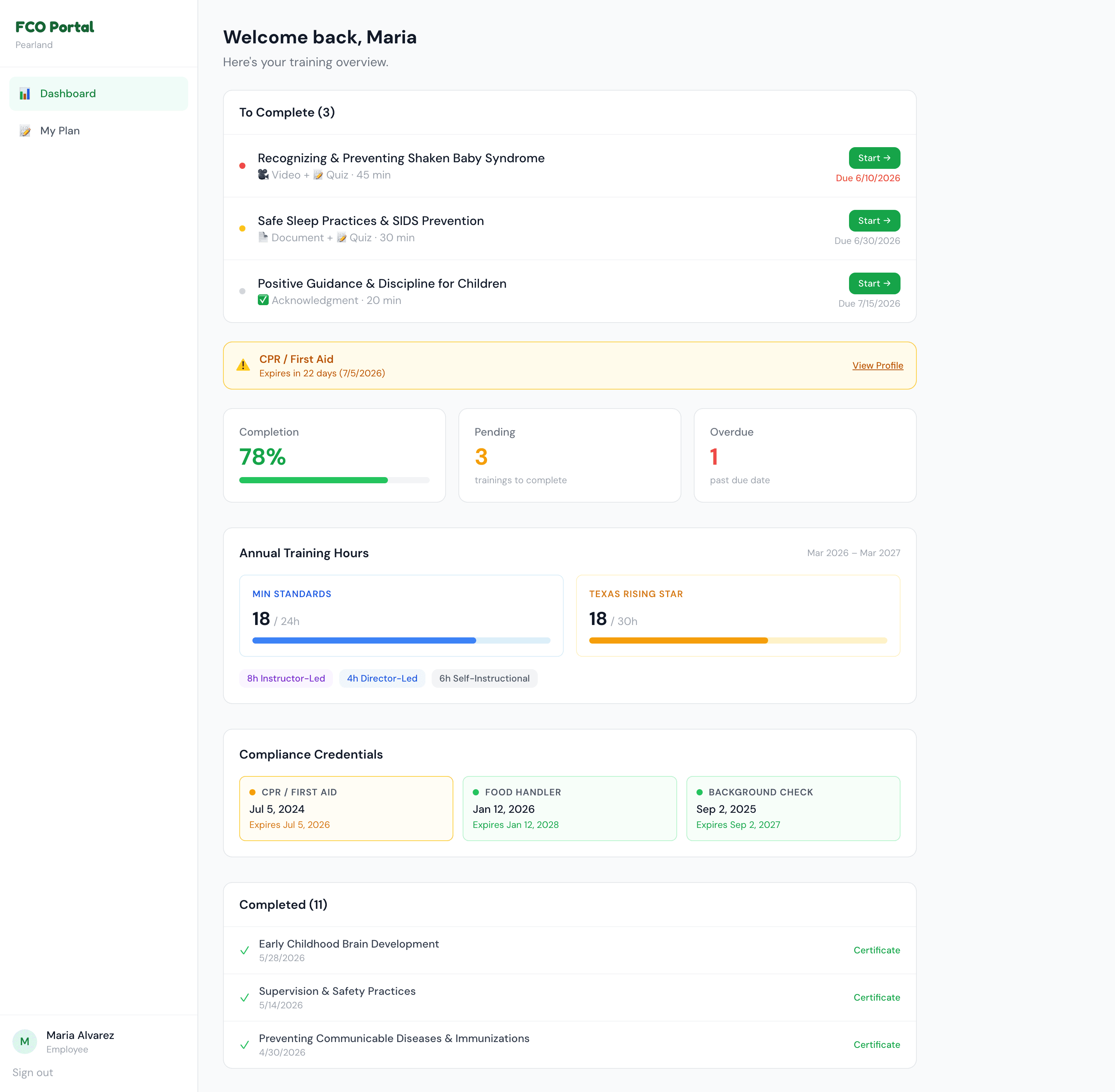
Video, document, and acknowledgment-style trainings with quizzes, open-ended questions, digital signature capture, and admin certificate issuance.
Pre-service onboarding
A structured workflow for new hires — orientation tracking with proof-of-completion file uploads, replacing the old paper packet.
Annual training plans
Per-employee plans with category targets and a planned-vs-actual view, plus printable, signature-ready exports for the state file requirements.
Director & admin dashboards
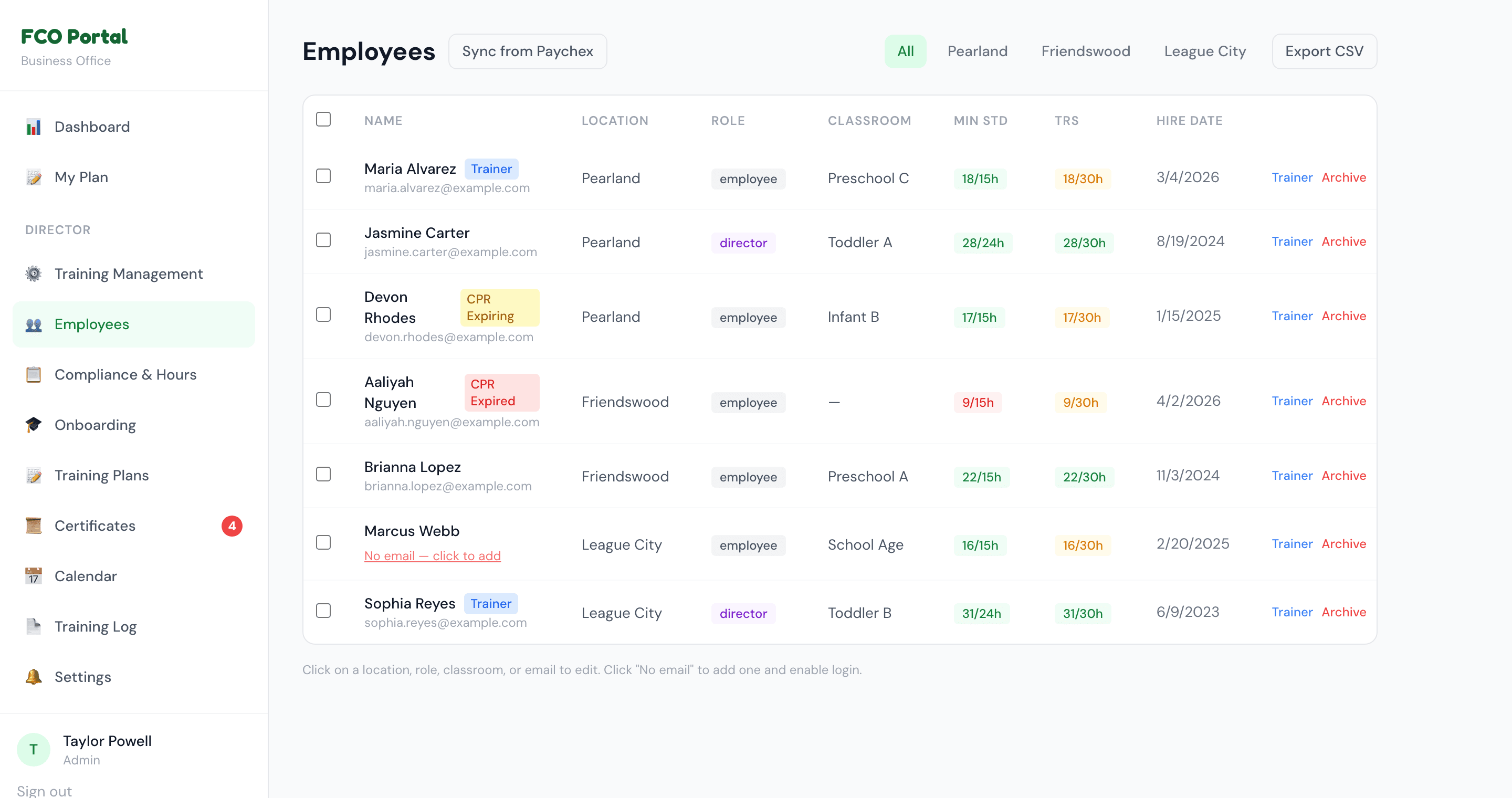
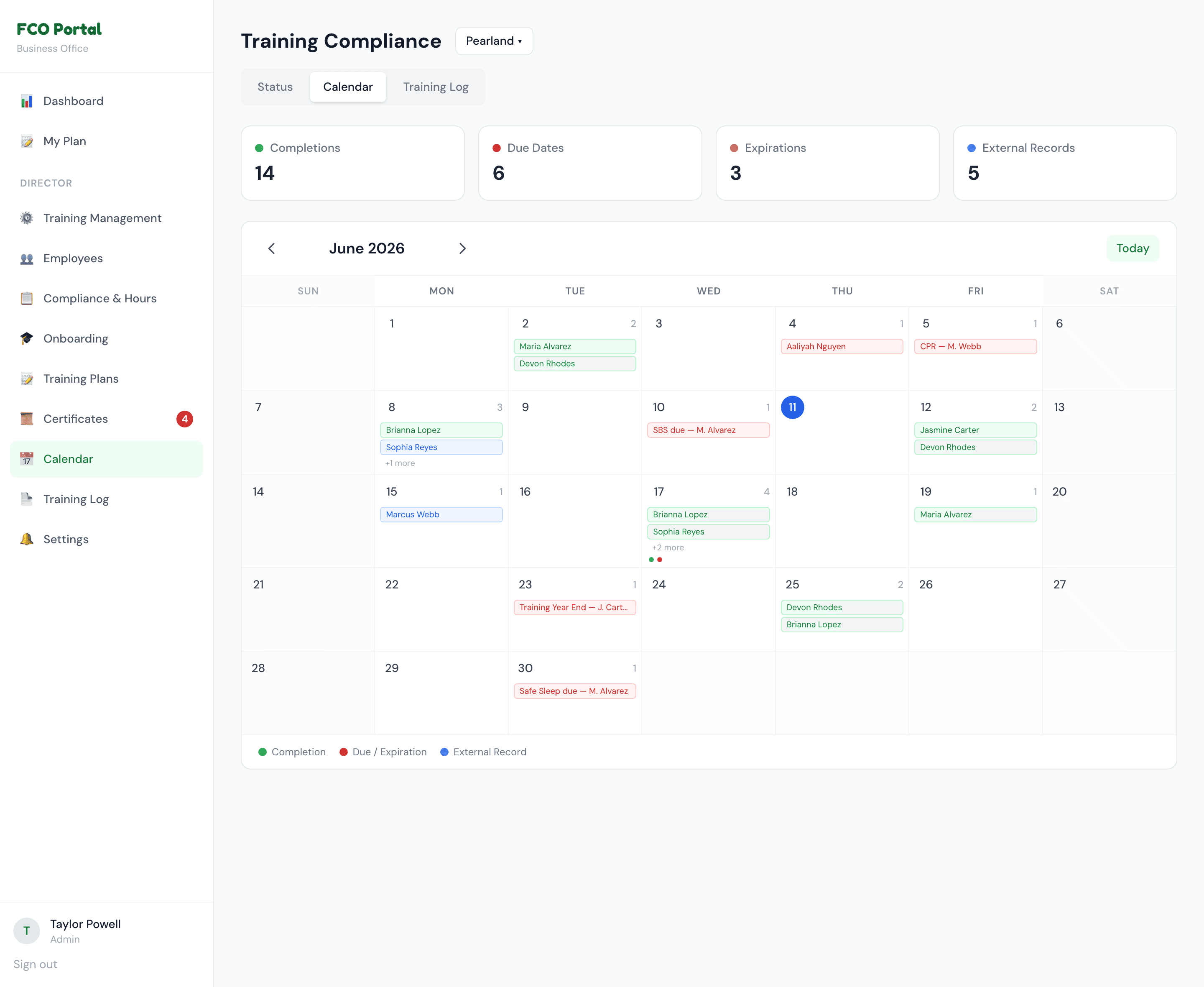
Compliance drill-downs, a monthly training calendar, per-location records, role-based access, and CSV export for reporting and audits.
Self-serve audit prep
Records that used to be reconstructed by hand are now always current and exportable — audit day becomes a download, not a scramble.
The parts that used to be done by hand — now run themselves.
Regulations become logic, deadlines become alerts, and sign-off becomes a tap — so compliance is something the system carries, not the staff.
Compliance-rules engine
The actual Texas childcare training regulations, encoded as logic — required hours, category rules, and the rolling-year math run automatically for every employee instead of being tracked by hand.
Automated expiration alerts
Credential warnings tiered at 60 days, 30 days, and expired — shown on the dashboard and sent as daily automated emails to staff and each location's office, de-duplicated so nobody gets spammed.
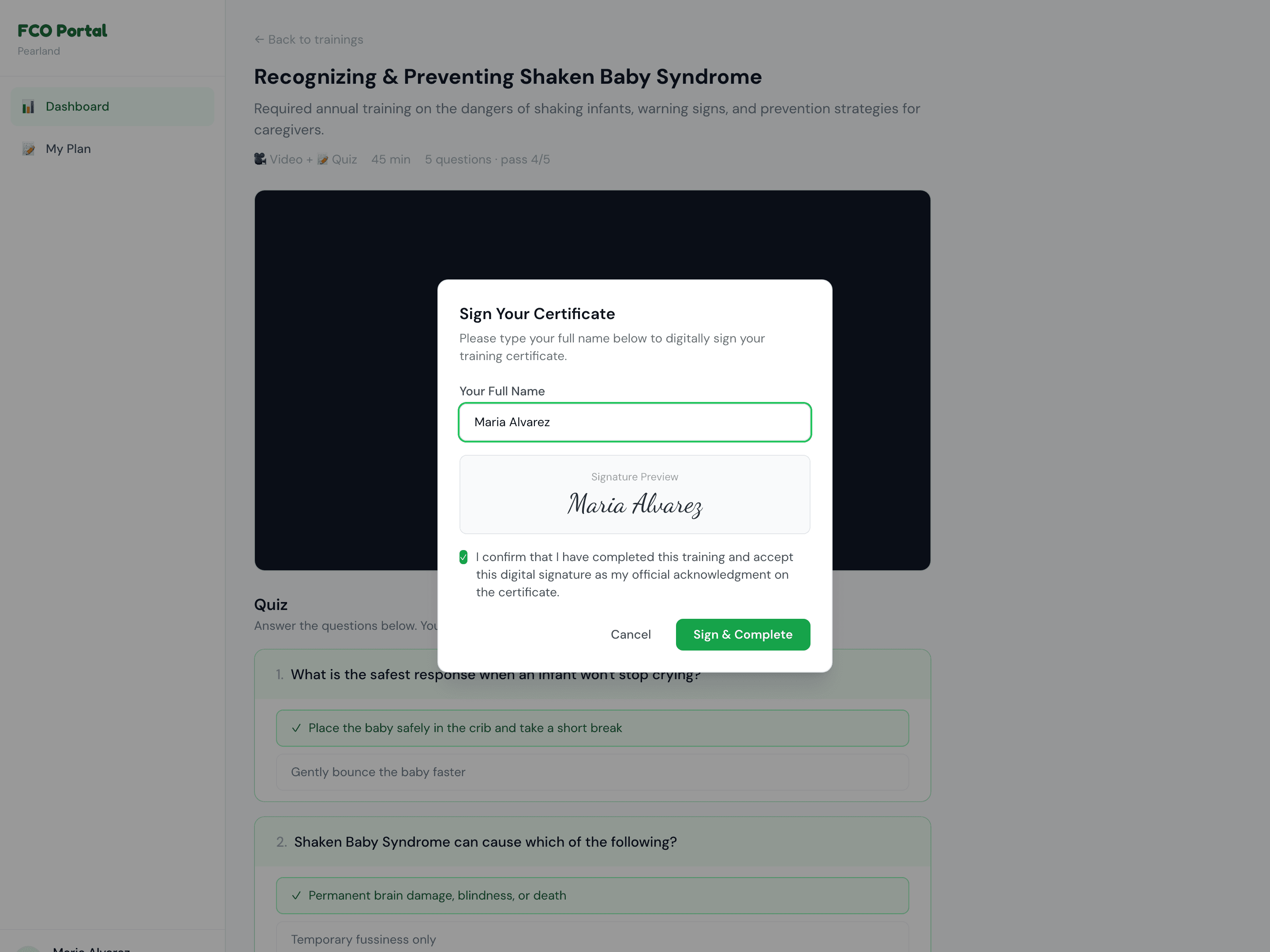
Digital signature capture
Employees sign off on completed training in-app, producing the signature-ready proof the state file requires — no printing, no scanning.
Payroll-driven provisioning
New employees are provisioned automatically off the payroll system, so a new hire shows up ready to train without anyone setting up an account by hand.
Inside the portal
A few views from the live product. All screenshots use fabricated demo data only — no real employee names, emails, or compliance dates.
How it was built
- Solo build — design, database schema, full-stack implementation, regulatory logic, and deployment, all delivered by Prismatic.
- Translated the actual Texas childcare training regulations into a working compliance engine, including the edge cases that decide whether a center passes a state review.
- Replaced manual spreadsheet-and-paper tracking across three locations with one automated system, and made state audit prep self-serve.
Built on a modern web stack with secure, role-based access — kept deliberately light on infrastructure detail here.
Have a system that should work this hard?
We start by learning how your business actually runs — then build the software around it. Let's talk about yours.